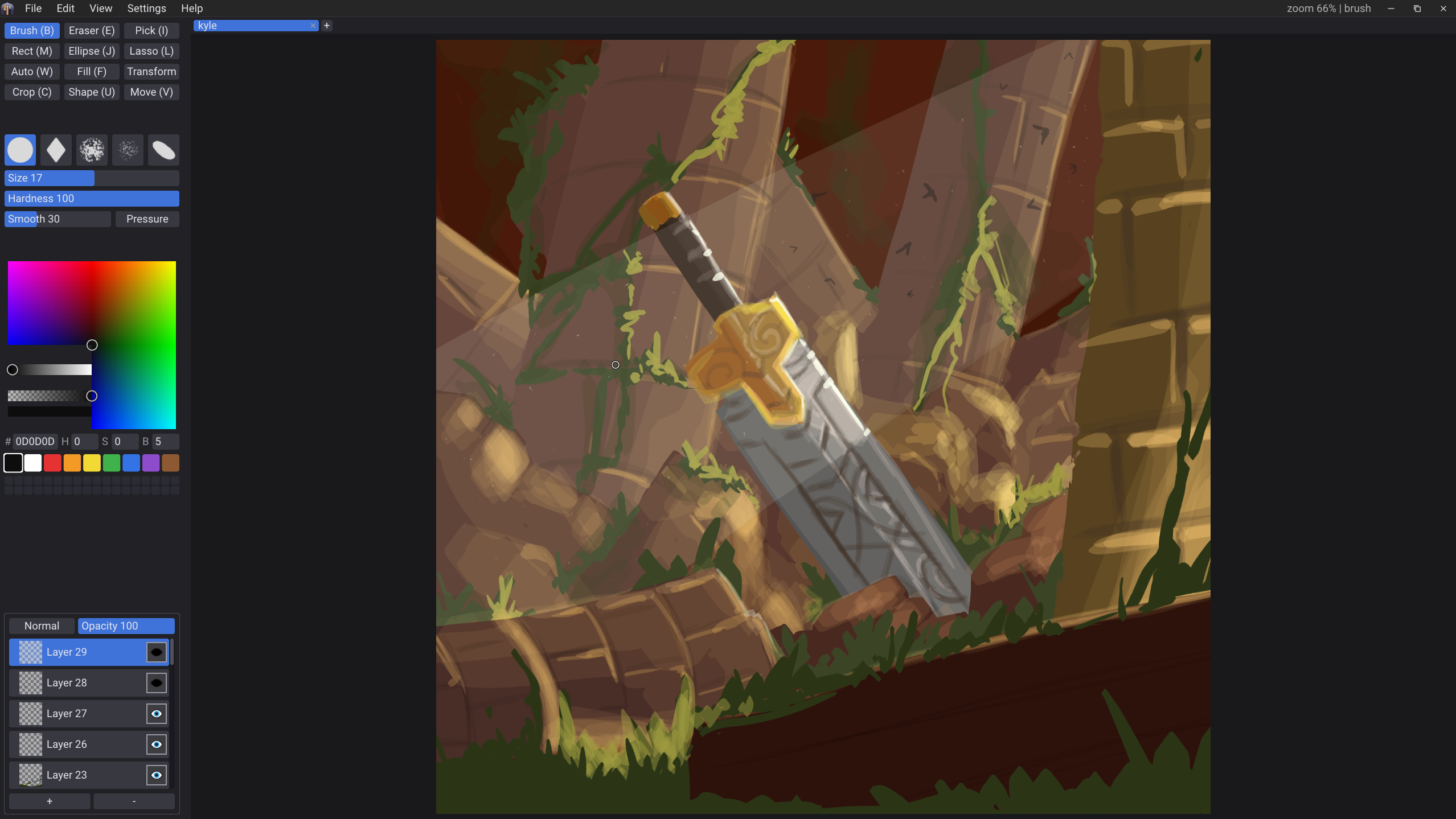
Total Draw is a painting app for Windows, with plans on also becoming an animation and comics app. It's one self-contained program that opens fast, works with a tablet or a mouse, and doesn't need installing (but can also be installed if you want).
Windows 10 and 11 for now · Linux and Mac planned!
How it's made
It's written in C with its own painting engine and immediate mode UI, with an emphasis on performance and easy distribution/use.
Fonts, shaders and brush tips are inside the exe. Put it anywhere and run it. On first launch it offers to add itself to the Start menu without copying anything, and there's a menu item to undo that. You can also install the MSIX package if you want a Windows-native package experience
A layer is a grid of 64-pixel tiles, and only the tiles you've painted on exist. Undo swaps tiles instead of copying pixels, so it's instant and doesn't run out.
A .tdraw file stores just the tiles with paint on them. An empty 8K canvas is a few hundred bytes. Older builds can open newer files and skip what they don't understand.
What's in it
Five brushes, smudge, blur and blend, layers with blend modes, live adjustments, selections, bucket fill, and more.
Pressure and tilt from Windows Ink, a stabilizer you can tune, and separate pressure curves for size and opacity on each brush. Every brush remembers its own size, hardness and smoothing between sessions.
Most fills leave a pale gap under anti-aliased line art. This one looks at the line's own edge and fills right up to it. Expand pushes the fill under the line by a fraction of a pixel, Tolerance decides what counts as the same color.
Rectangle, ellipse and lasso. Hold Ctrl to add or Alt to subtract, and you see the combined result while you drag, not after. Drag from inside to move the outline. Grow and shrink it from a slider in real-time.
Click a region and it's selected, same region the bucket fill would paint. The nice part is that the click stays open: drag Tolerance or Expand afterwards and the selection dynamically. Or still use the Grow/Shrink sliders
A rectangle, ellipse, line or lasso is drawn with whatever brush you have selected, so a soft brush gives a soft edge and a textured one keeps its texture. Letting go doesn't commit it. It sits under handles while you resize it, round the corners, swap the brush or change the outline and fill colors. Enter paints it.
Press on something and the move tool grabs whichever layer it's on. It moves by whole pixels so nothing gets resampled. Once grabbed, handles appear like the Transform tool.
Open as many documents as you want. Copy takes the selection, Copy Merged takes everything visible, and Paste becomes a new layer already inside a transform so you can put it where it goes. Copies reach the system clipboard as PNG with transparency, and a screenshot from anywhere can be pasted in.
Clip a layer to the one below and it only shows where that layer has paint, so you can shade with a big soft brush and nothing spills. Stack a few and they all clip to the same base. Alpha lock does the same thing on one layer, handy for a quick recolor.
Smudge pulls paint along like a finger through wet paint, Blur softens it in place, and Blend drags and softens at once. They all use whichever brush you have selected, so a textured brush smudges with its texture.
Hue/Saturation/Brightness and Gaussian Blur change the canvas as you drag their sliders, then apply as one undo step. They follow the selection and its feather, so you can adjust just part of a layer. Invert and Desaturate are one click.
Right now Total Draw is in private alpha. After that will probably be a free public beta, and then it'll be something you buy once.
For people with a key. Two downloads of the same program: the MSIX package (recommended) and a portable exe. Both are code-signed.
I have a keyFree for anyone to download and use while the painting tools get finished. No key, no account.
Buy it once and keep it. No subscription.
What's next
The engine was built with more than painting in mind. But we're not quite there yet.
Next up for 0.3: editable text, layer masks, and pinch to zoom and rotate on touch screens. Then levels and curves, personalization options and a proper brush library.
Frame-by-frame with onion skin, audio sync, and export. Every painting tool works on the current frame.
Pages, panels and balloons, on the same layers, with the same brushes.
 Total Draw