 Total Draw
How tough can emoji be?
I thought the text tool would be the hard part of alpha version 0.3. But really, it was emoji.
I've always been fascinated with how text works on computers. From encoding schemes, to typesets, font files, line rendering, etc. It's the primary mechanism with which we communicate with the machines (at least, it has been; voice might be taking over soon). That's why I was so excited when I finally started working on text rendering for Total Draw.
So how does text work?
Jimmy Lefevre's talk How to make a text box: A crash course in Unicode and OpenType is a fantastic talk that goes over the various pitfalls you'll encounter when making text input. It walks through what actually sits between the bytes you type and the shapes you see.
Another great talk around this topic is Plain Text - Dylan Beattie - NDC Copenhagen 2022. It's less about the mechanics of text input fields, and more about the history and beauty of so called "plain text". Highly recommend both talks if you want insight into the magic glyphs that control our computers.
Jimmy also wrote kb_text_shape, a single-file C library that does the heavy Unicode and OpenType lifting: splitting text into characters, finding where lines may break, and "shaping", which turns characters into the actual glyphs detailed in the font file (ligatures, Arabic letters joining, accents placed on their letters). It fits Total Draw well: no dependencies, plain C, and it's quite fast. Most of my work was wiring it up to work with stb_truetype.h (an incredible font library): a text layer is a string, a list of styles over parts of it, and a layout that kb_text_shape fills in.
Emoji aren't always pictures
Most text stored in a TrueType or OpenType font file (.ttf or .otf) is a vector image; a description of the shapes to be drawn, not an image of pixels. I think people would assume this not to be the case for emoji; they look like little pictures, so surely they must be PNGs, right? Well, kinda. Apple's emoji font still uses PNGs at various resolutions, picking the closest one to match the surrounding text. I would guess the main reason for using PNGs is because in the past font rendering engines had a hard time with color. But nowadays the industry is moving towards vectors for everything, including emoji.
Windows 10's emoji font, "Segoe UI Emoji", uses a specific format of color called "COLR": each emoji is a stack of shapes, each filled with one color from a palette, drawn bottom to top. It's a rather simple format that reduces a lot of the complexities we get from something like SVGs, but still can show quite nice looking minimalist images at any font size.
Windows 11 improvements
One of the things I like about Windows 11 is their emoji. Windows 11's emoji have that soft, almost 3D-clay look, and they're the same font file as the Windows 10 emoji font. Except, the new color elements are in the newer "COLRv1" format. A COLRv1 emoji isn't a stack anymore, it's more like a scene graph: shapes that clip what's under them, with linear, radial, and sweep gradients.
Unfortunately, there is no easy library I can use to plug in and do this color rendering for me (stb_truetype.h only does black and white). So most of the work in this update has actually been put into creating a renderer capable of rendering COLRv0 and even more so COLRv1.
The renderer ended up being a recursive walk over that graph. Here is some c-like pseudo code to give the shape:
void draw(Paint p, Matrix m, Clip clip, Image dst) {
    switch (p.kind) {
    case LAYERS:    for (Paint child : p.children) draw(child, m, clip, dst); break;
    case GLYPH:     draw(p.child, m, clip & outline(p.glyph, m), dst); break;
    case TRANSFORM: draw(p.child, m * p.matrix, clip, dst); break;
    case COMPOSITE: over(dst, blend(p.mode, alone(p.source), alone(p.backdrop))); break;
    default:        fill(dst, p.color_or_gradient, clip); // the leaves
    }
}
Each emoji gets drawn this way on the CPU once per size, and then it gets cached so subsequent draws don't have to be re-rasterized.
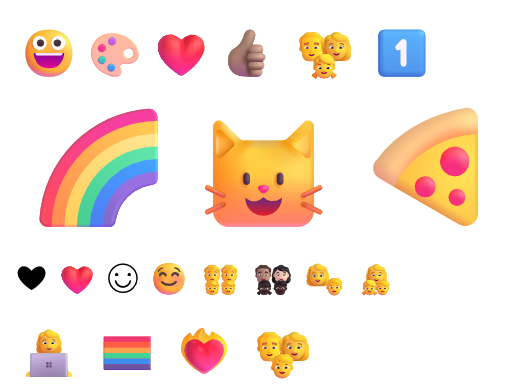
Segoe UI Emoji (Windows 11)
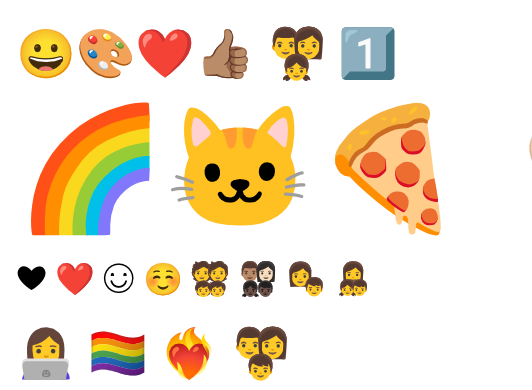
Noto Color Emoji (Google; bundled in Total Draw)
That raised a question, though: whose emoji? Because I keep text editable (unless you rasterize it), text rendered on Windows 11 would look different on Windows 10, and different again on a Mac or Linux. I want Total Draw documents to be able to look the same everywhere, so Total Draw bundles Google's Noto Color Emoji font. Microsoft also releases their Windows 11 emoji under the MIT license as "Fluent Emoji", which I may end up bundling as well.
What an emoji is, in bytes
Before getting to families and flags, it helps to see what an emoji actually looks like when it's encoded. Total Draw keeps text as UTF-8, where each character (a "code point", in Unicode terms) takes one to four bytes. A lot of emoji are more than one code point, and there there is a mild "grammar" that forms from the different rules. For example, if you want to add a skintone modifier, you literally put the main emoji (say a thumbs up) and then immediately after that put a "skin tone modifier" emoji. But for "families" or "country flags", as I will get into later, you need to have "zero width joiners" in between each main emoji. Here is a visualization:
characterjoinermodifierflag letter
What you see as one emoji is one grapheme, and kb_text_shape finds where each one starts and ends. The first thing Total Draw's layout then asks about each grapheme is which font should draw it:
int grapheme_kind(Grapheme g) {
    if (is_regional_indicator(g.base))         return FLAG;   // two letters: a country
    if (g.base == 0x1F3F4 && has_tags(g))      return FLAG;   // England, Scotland, Wales
    if (g.next == 0xFE0E)                      return TEXT;   // "draw me as text"
    if (has_fe0f_keycap_or_tone(g))            return EMOJI;  // "draw me as an emoji"
    return emoji_by_default(g.base) ? EMOJI : TEXT;
}
A flag goes to the flag font (more on that below), an emoji to the emoji font, and everything else to the text's own font. That's also why ❤ and ❤️ can look completely different: the only thing between them is that invisible U+FE0F at the end.
Families
👨👩👧 isn't one character. In memory, it's actually the emoji for a man, a woman and a girl, with an invisible "zero width joiner" (ZWJ) between each of them; it's the one picked in the inspector above. Each person can also have their own skin tone, which is a separate modifier character placed right after them. Segoe UI Emoji does this sort of "natively": it has separate "family" versions of each person, and its layout rules put them together into one picture, whatever the combination.
Noto handles families differently: the ones Unicode lists are drawn as gray figures, and a family in mixed skin tones comes out as a row of separate people. Not sure why Noto doesn't do what Segoe UI Emoji does, but I really like being able to support proper emoji families, so by default Total Draw builds families itself. It draws each person on their own, then places them in one emoji's square. The parents behind and the children in front. I managed to get any mix of skin tones working as well.
Placing them is just a table of boxes, one set for each number of adults and children: where each person sits in one emoji's square, and how big they are. Here's the set for two of each:
// left, top, size: fractions of the emoji's square
{ 0.00f,  0.00f, 0.60f }, { 0.40f,  0.00f, 0.60f },   // the parents, drawn first
{ 0.085f, 0.52f, 0.47f }, { 0.445f, 0.52f, 0.47f }, // the children, in frontThere are three kinds of adult person in emoji (man, woman, and a generic "person"), as well as five skin tones (or the default yellow skin tone),and the same for children emoji. Which brings to a total of (18 + 18²)² = 116,964 unique combinations of families! Personally, I don't think that's enough. Where are the pets? The grandparents?
It's your move, Unicode Emoji Standard & Research Working Group; make it millions of combinations!
Flags
Country flags in emoji are fun: there's no "Japan" character. Instead, Unicode has 26 "regional indicator" letters, 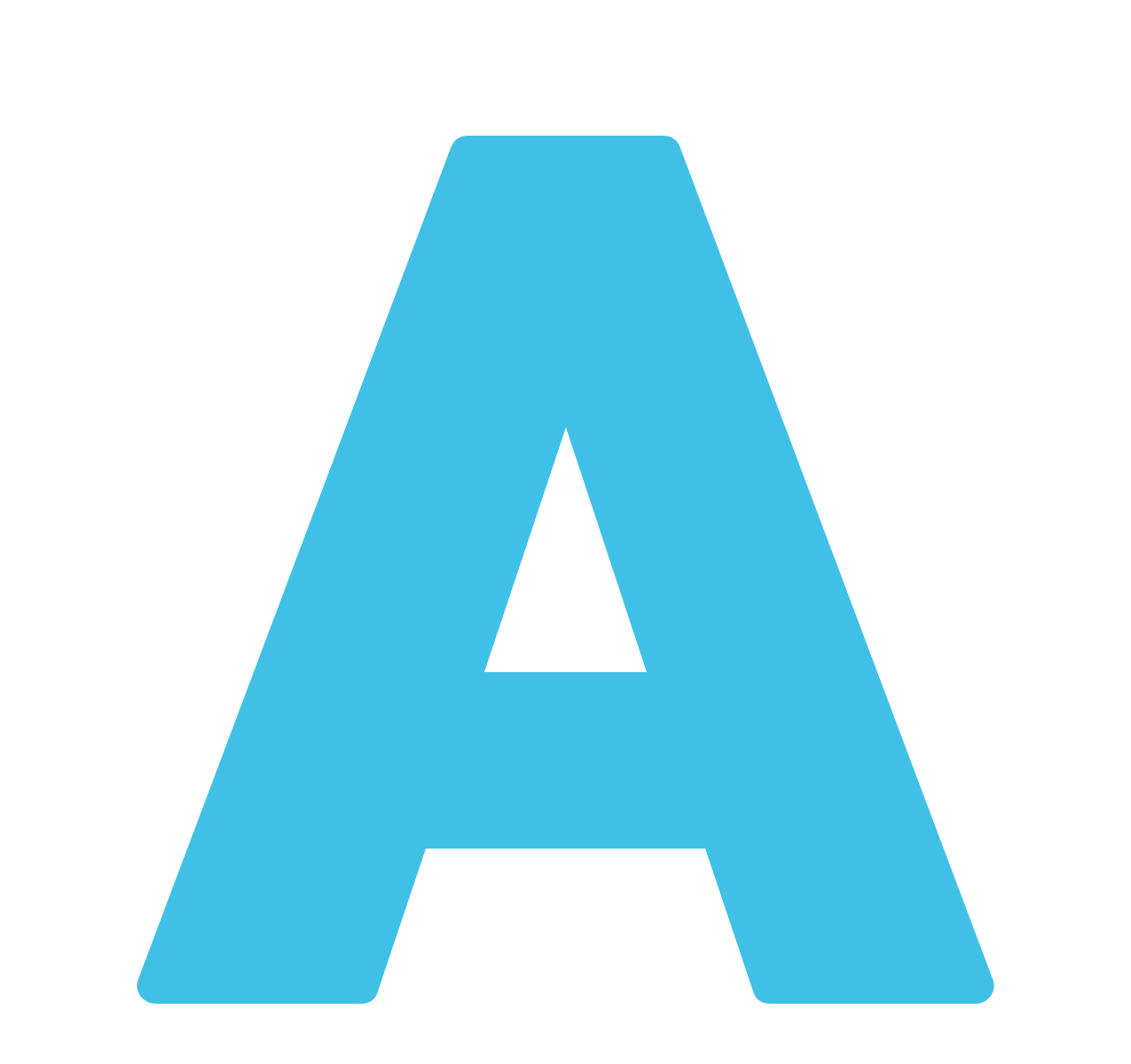 through
 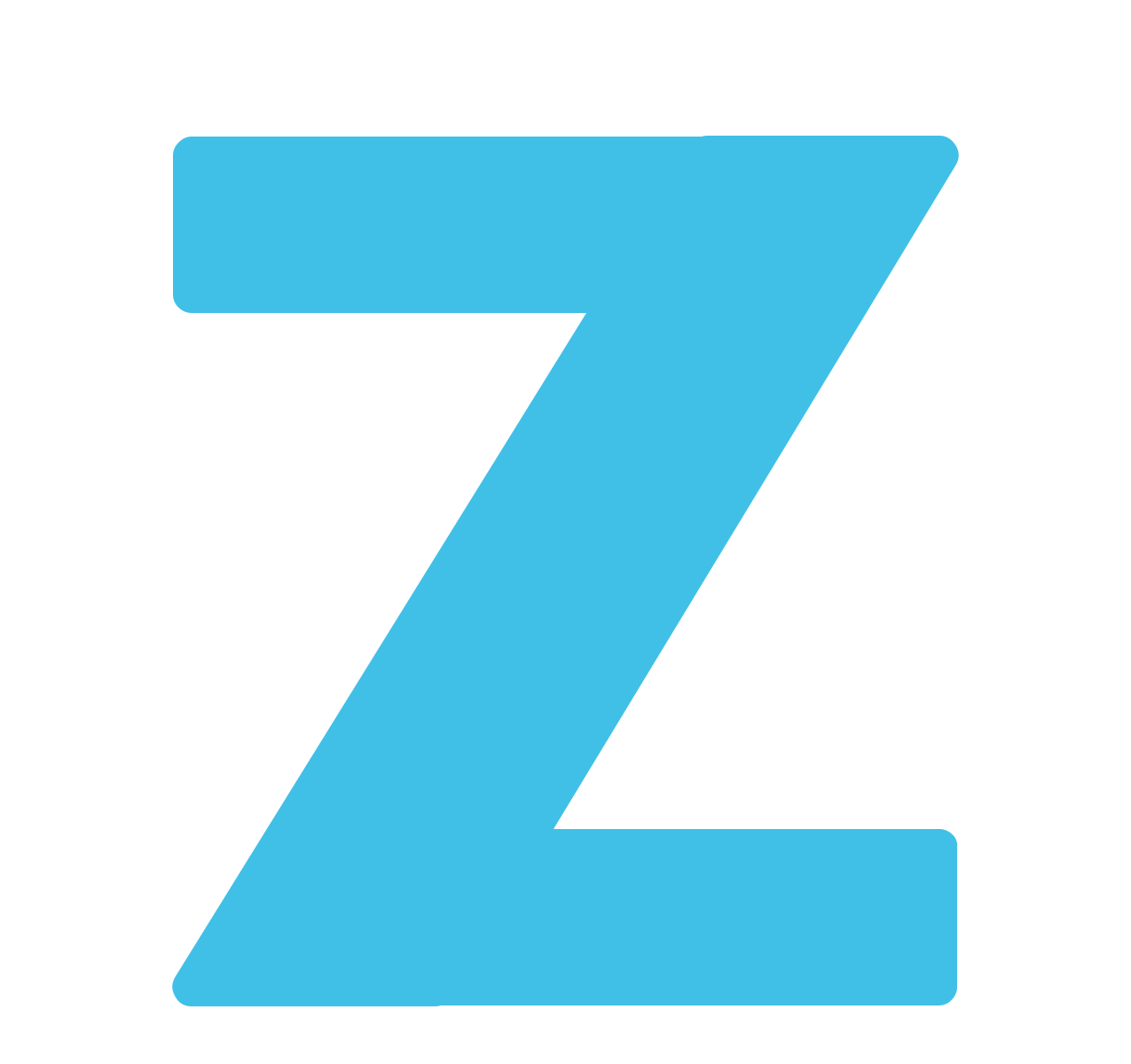 , and a flag is just two of them next to each other, spelling the country's ISO code:
  and
and 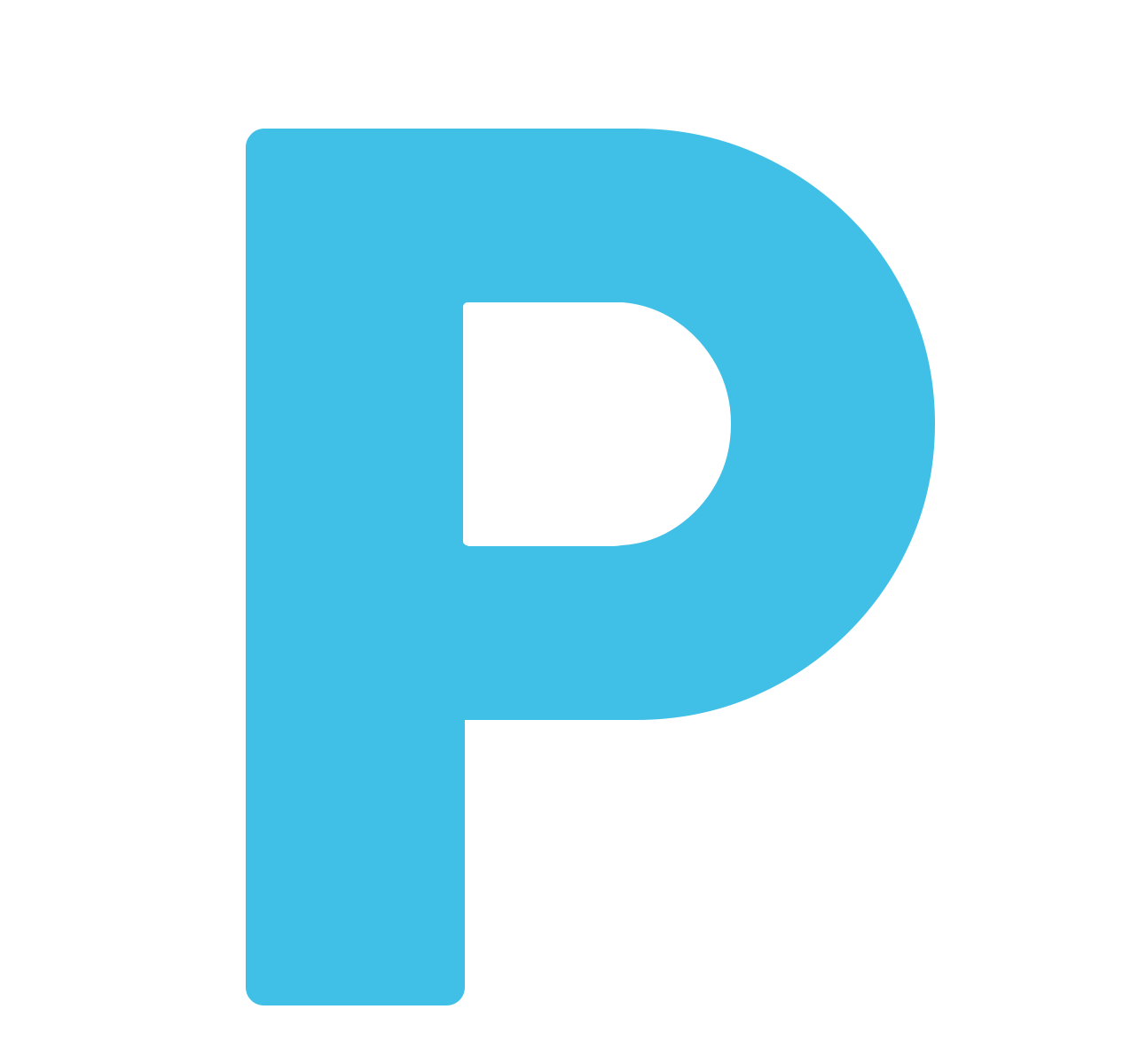 make
make 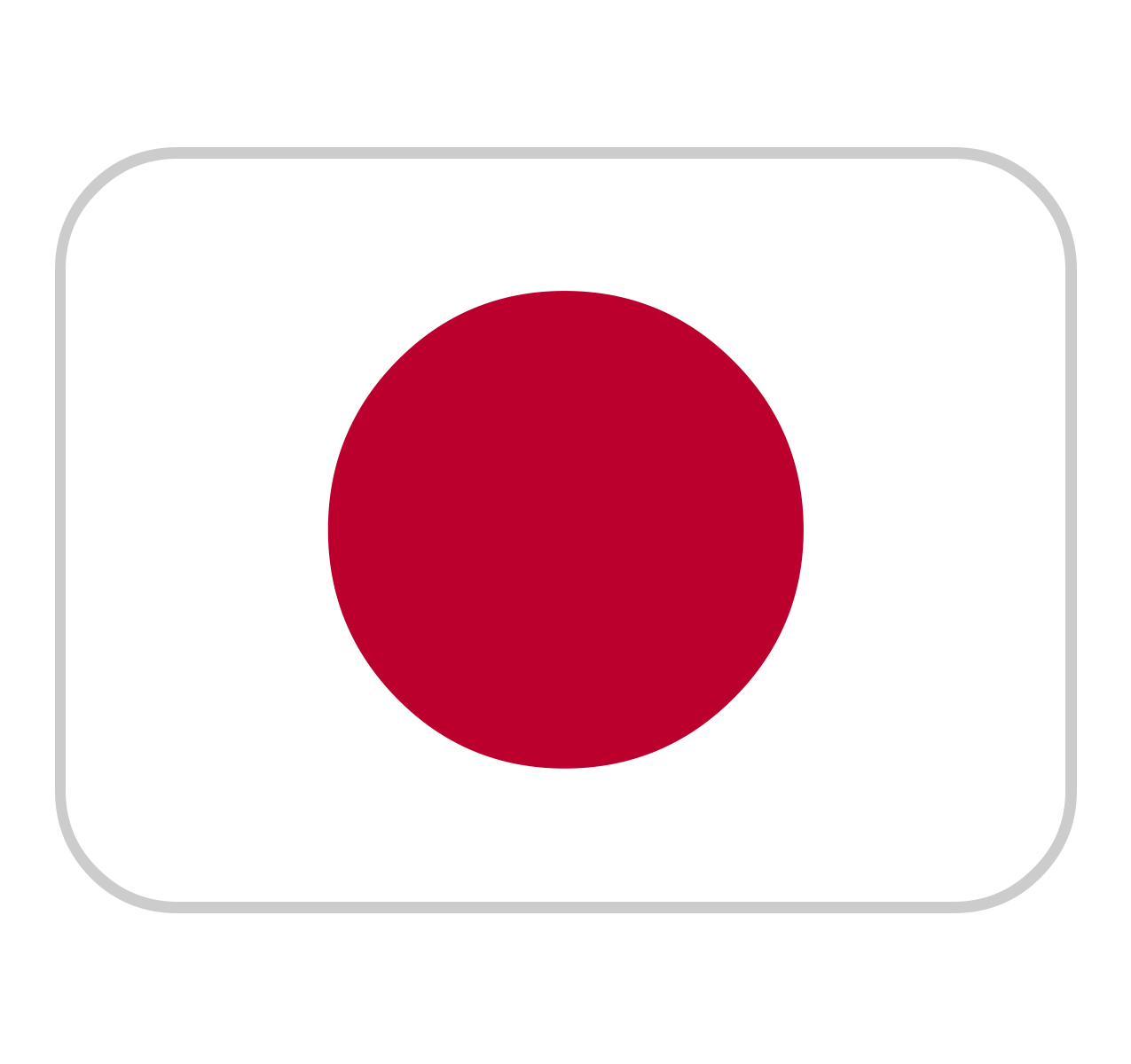 . No joiner needed. If the font knows the pair, it draws the flag. If it doesn't, you get the two letters. Pretty neat!
England, Scotland and Wales don't have country codes of their own, so they're a black flag 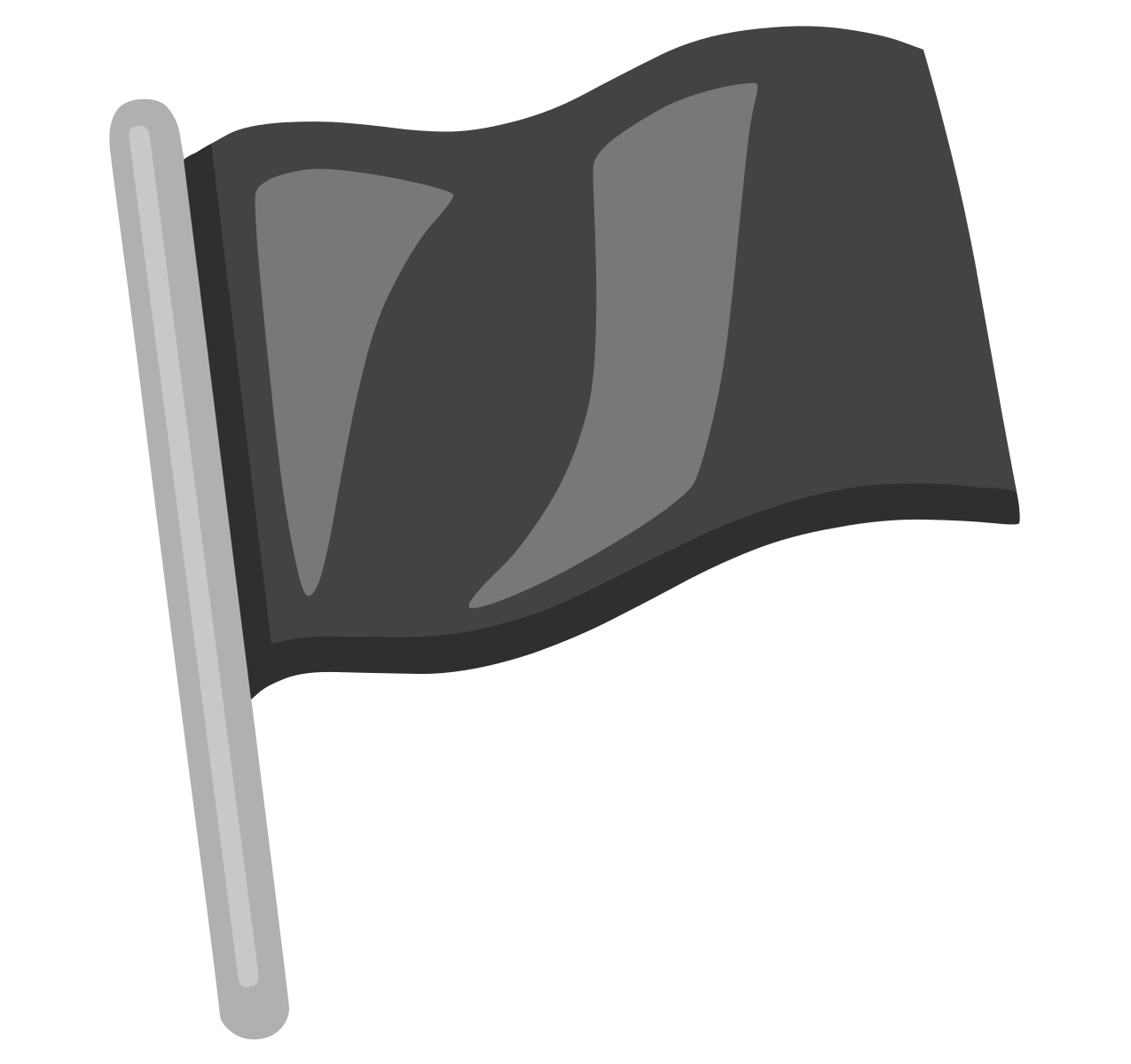 followed by invisible "tag" letters (g b s c t for Scotland) and a cancel "tag" at the end. All of which you can see in the inspector above.
However, Windows doesn't believe in them...
Segoe UI Emoji has no country flags at all, so Windows shows the two letters a flag is made of instead. This is because Microsoft wishes to avoid certain "international relations controversies", like Taiwan, Palestine, or Kosovo. This is unfortunate, as it means I can't rely on the system's emoji font for flags on Windows.
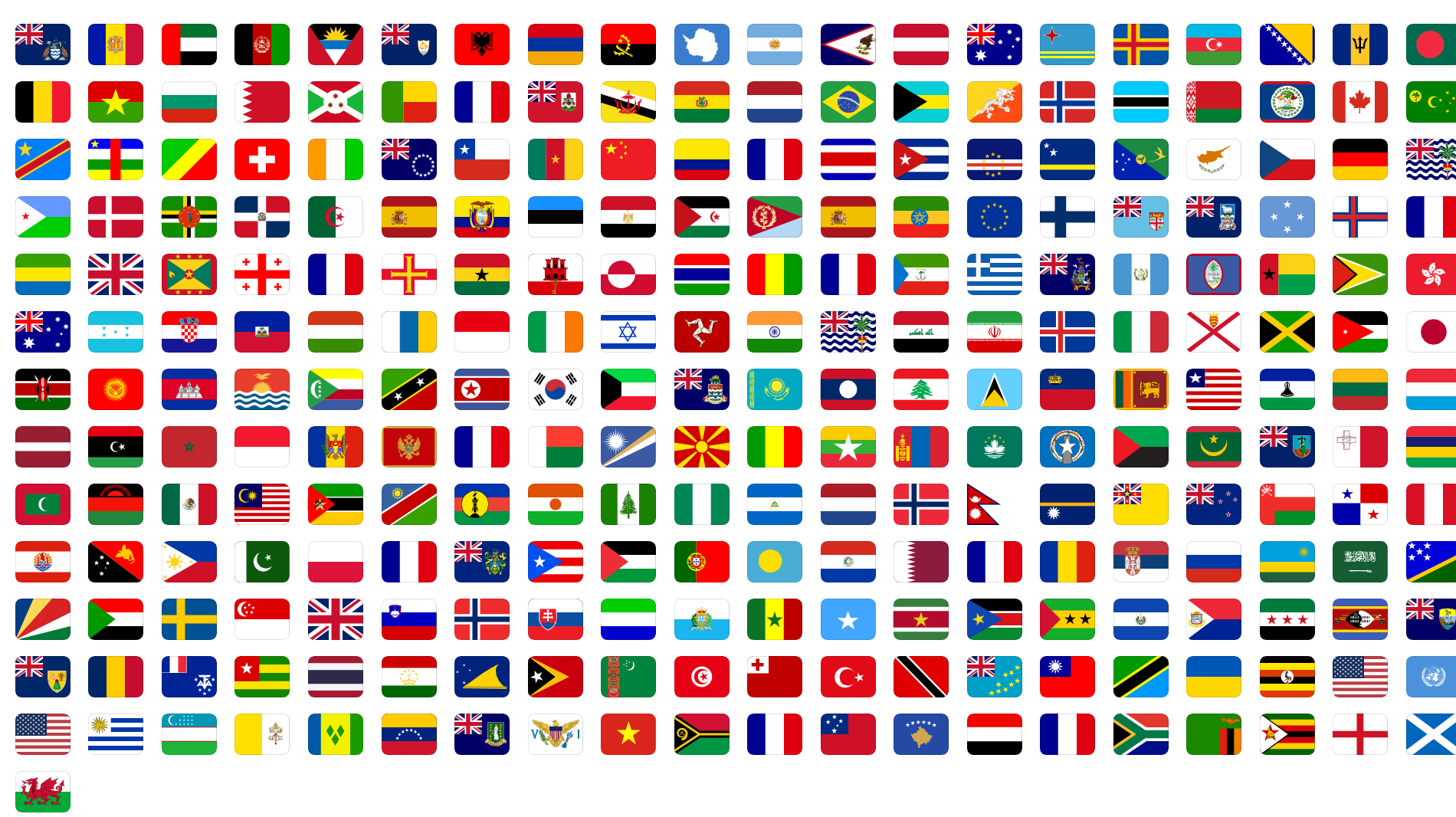
Noto has flags, but I'm not a big fan of them; mostly because they have sharp corners and they wave. But luckily, there's an MIT-licensed project, flag-icons, that has all of the country flags as SVGs. So I turned them into a font of their own with nanoemoji, the tool Google uses to build Noto Color Emoji.
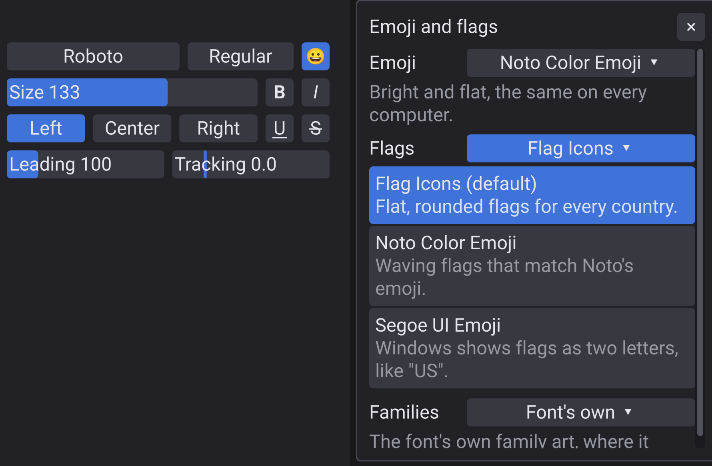
Options in Total Draw
You have options for all of these in the Text tool: a '😀' button at the end of the font row opens a panel with a dropdown each for emoji, the flags, and the families.
What's next
- In terms of fonts, Apple's emoji: Total Draw's bundled Noto Color Emoji font works the same on every system, but on a Mac you might want Apple's emoji font, which as I mentioned before are PNG images that live inside the font. My text rendering system doesn't currently support that, but since I already use an image rendering library (stb_image.h), it shouldn't be too bad.
- Mac/Linux Support: Unfortunately, before I get to drawing emoji on Mac, I need to first port Total Draw to Mac. Since I'm using a custom Direct 3D 11 renderer with lots of shaders and some platform integrations, it's a good amount of work to port it to Mac. So I'm not quite there yet, but eventually! Linux too! (and probably Linux before Mac as well).
- Brushes and Quality of Life Improvements The actual thing I plan to do next is to add more brushes, custom brushes, and some quality of life improvements (especially related to the UI).
Alpha 0.3.0 is out now if you're in the private alpha. Please download it and let me know what you think, thank you!
Thank you!